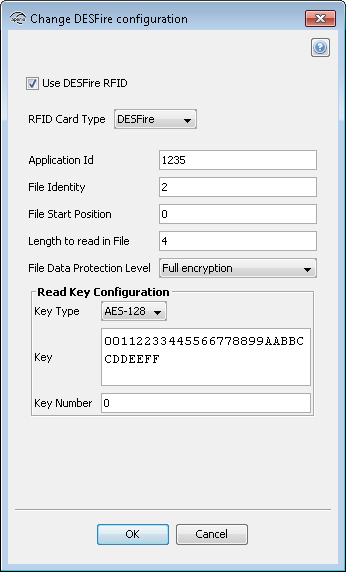
Select DESFire in the RFID Card Type drop down list.
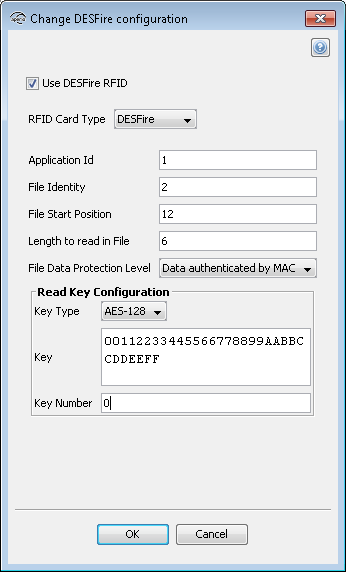
- Application Id: To configure the lock for file credential reading, you need to set first the Application Id of the application which contains the file. A credential can have up to 32 applications. Application Ids range from 0 to 16777215.
- File Identity: You need to type the File Id of the file you want to read. Every application can have up to 28 files. File Ids range is 1 to 255.
- File Start Position: You need to indicate the byte index where you want to start to read the file. If you type 0 it will start from the beginning of the file.
- Length to read in File: Type the length of the data you want to read. The length is specified in bytes. Minimum length is 1 and the maximum length supported by the Aperio lock is 30 bytes.
- File Data Protection Level: Select one of the three options (Plain, Data Authenticity by MAC, Full Encryption) depending on the data type of the file.
- Key Type: Select one of the four options (DES, 2K3DES, 3K3DES, AES-128) depending on the crypto used by your application’s key. Type the key value in hexadecimal. DES, 2K3DES and AES-128 are 16 bytes keys, 3K3DES is a 24 bytes key.
- Key Number: Each application can store up to 14 keys. Key 0 is always the application’s master key. Enter which key number from the application you want to use. Key numbers range from 0 to 13.
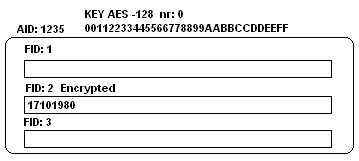
The configuration should look like this: