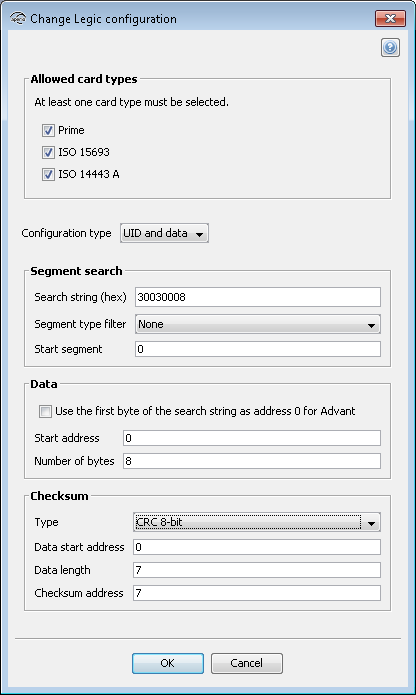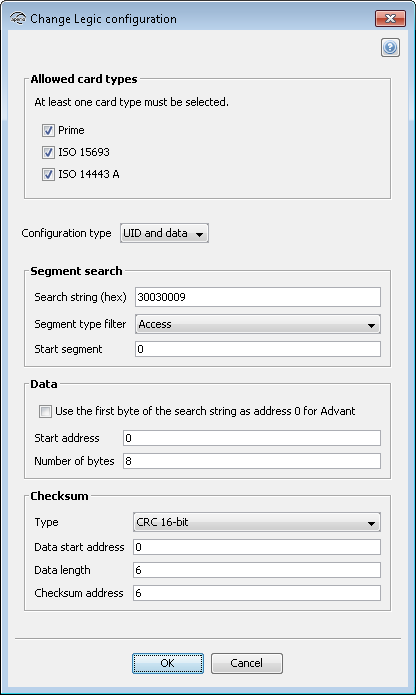
In the list, select the card type to use:
- Prime
- ISO 15693 (Advant)
- ISO 14443 A (Advant)
Select UID with data in the drop down list.
Segment search:
- Search string (hex): Max 24 characters hexadecimal, even number. For example: 30030009.
- Segment type filter: The type of segment, None, Access or Data.
- Start segment: Specifies the segment from which to start the search. It is useful in cases where more than one similar search string exists. Integer in the range of 0-255.
Data:
- Use the first byte of the search string as address 0 for Advant: Only for Advant card types, in order to change the data addressing of Advant. The first data byte will be the first search string/stamp byte.
- Start address: Specifies the start address of the data. Integer in the range of 0-255.
- Number of bytes: Specifies the number of bytes of data to be read. Integer in the range of 1-45.
Checksum:
- Type: "None" does not require any of the checksum related fields to be specified, but CRC 8-bit and 16-bit does.
- Data start address: Specifies the address where the data which checksum is to be calculated starts. Integer in the range of 0-255.
- Data length: Specifies the length of the data in number of bytes to be read. Integer in the range of 0-255.
- Checksum address: Specifies the address where the checksum is located. Integer in
the range of 0-255.Note: The credential data start address differs between Legic Prime and Legic Advant:
- For Legic Prime cards the first data byte starts with the first search string/stamp byte.
- For Legic Advant cards the first data byte starts with the first byte in the data area.
Legic Advant Card
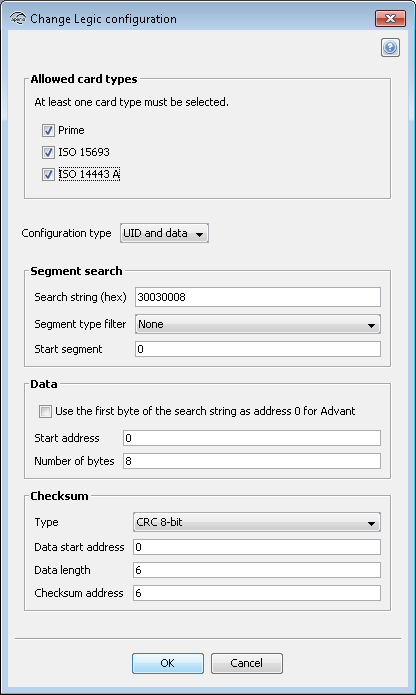
Example:Segment 0:
Search String: 30 03 00 08
Segment type: Data
Data length: 8 bytes
Checksum: CRC 16 byte 0-5
Checksum address: 6
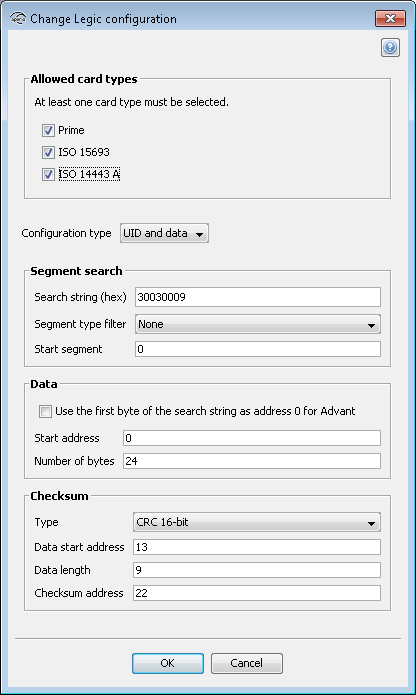
Segment 1:
Search String: 30 03 00 09
Segment type: Access
Data length: 24 bytes
Checksum 1: CRC 16 byte 0-10
Checksum 1 address: 11
Checksum 2: CRC 16 byte 13-21
Checksum 2 address: 22
 or
or 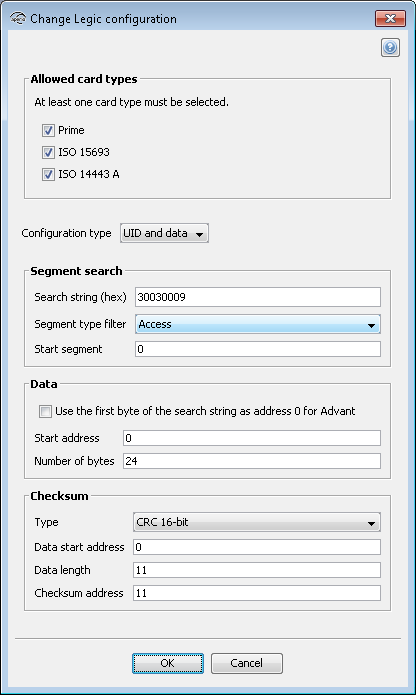
Note: Only one checksum can be selected.
To include the search string in the first data byte, check the Use the first byte of the search string as address 0 for Advant.
Legic Prime Card
Example:Segment 0: (only segment)
Search String: 30 03 00 08
Segment type: Data
Data length: 8 bytes
Checksum: CRC 8 byte 0-6
Checksum address: 7